We Love It's Guide to…
Keyboard Engine
The Keyboard Engine allows you to freely customize additional features of your keyboard. Use your add-ons to build your own keyboard. Also share your keyboard presets with others and meet new ones.
Released:
Nov 29, 2017
•
Developer:
David Ko
•
Publisher:
PIXIMAP

Utilities

Early Access
The Developer Says...
The Keyboard Engine allows you to freely customize additional features of your keyboard. Use your add-ons to build your own keyboard. Also share your keyboard presets with others and meet new ones.
Features
Workshop
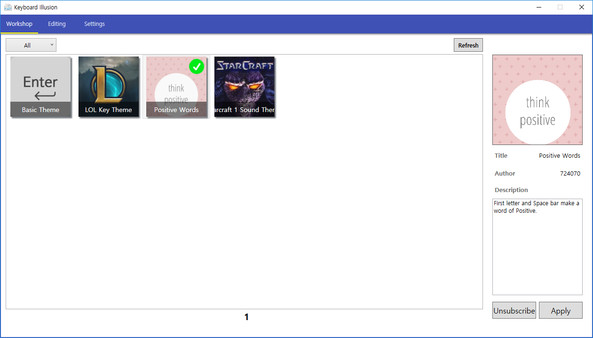
Integrated with Steam's Workshop, you can share your unique keyboard settings with others. You can also subscribe to keyboard settings created by others. Find creative settings created by someone with the same taste as you.
Features
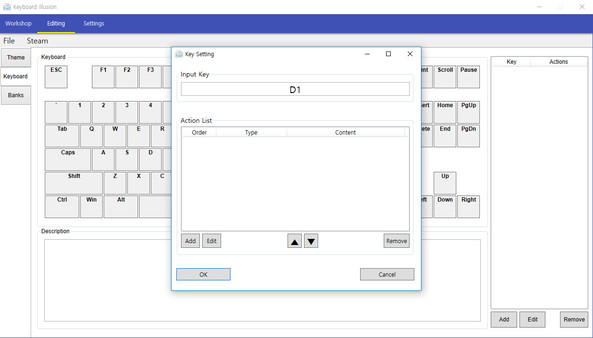
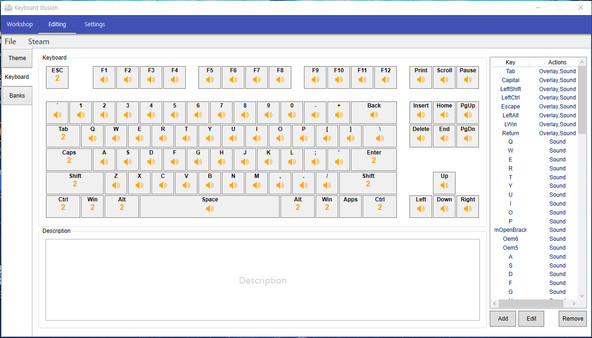
- It can be set to perform the desired function to configure the keyboard button pressed.
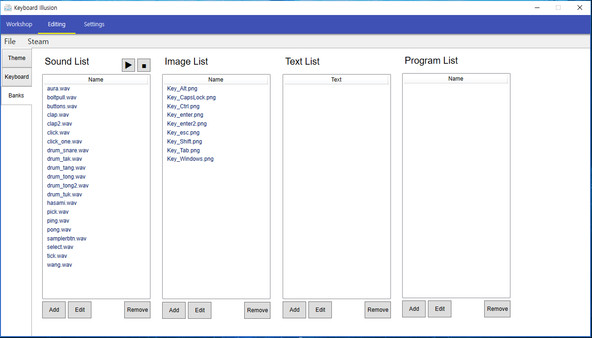
- It has the following functions: Sound Play, Image Overlay Show, Text Auto-completion, Program Run
- The Sound Play function allows a specific sound to be played by pressing the preset keyboard button.
- The Image Overlay Show function allows a specific image to appear at the desired position on the monitor by pressing the preset keyboard button.
- The text Auto-completion function automatically execute the text by pressing a preset keyboard button.
- The Program Run function allows a specific program to be run by pressing a preset keyboard button.
- By combining the various functions described above, customize your own unique keyboard.
Workshop
Integrated with Steam's Workshop, you can share your unique keyboard settings with others. You can also subscribe to keyboard settings created by others. Find creative settings created by someone with the same taste as you.
Back of the Box Details
Steam Deck
Unknown
DLC
None
DRM/EULA Notices
None
Achievements
None
Ratings
None
Demo
None
Metacritic
None
Content Notices
None
Controller Support
None
Reviews
69%
Mixed
Based on 39 reviews
Individual reviews are not available yet.